Dashboard · C1 India
Procfox auction reports
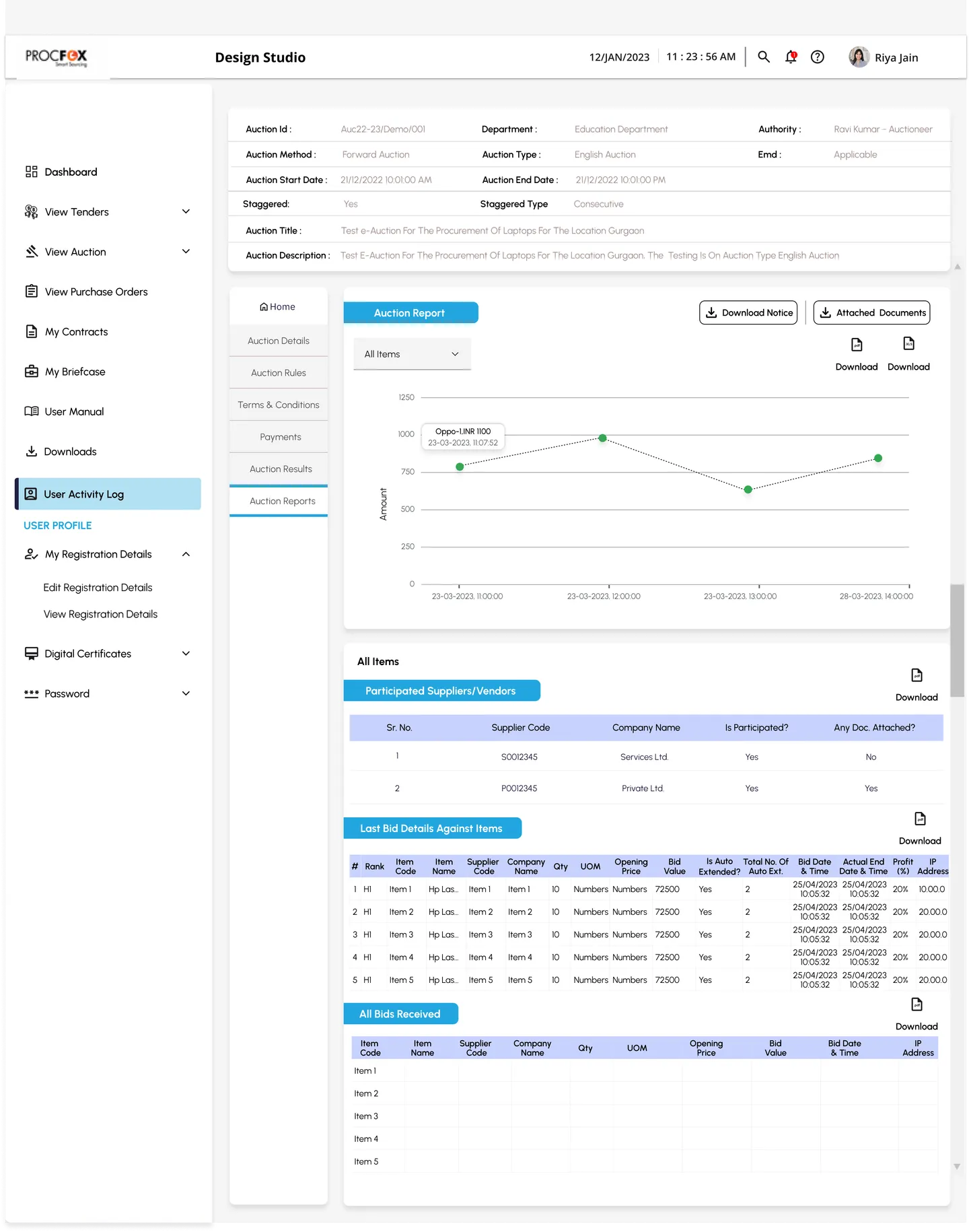
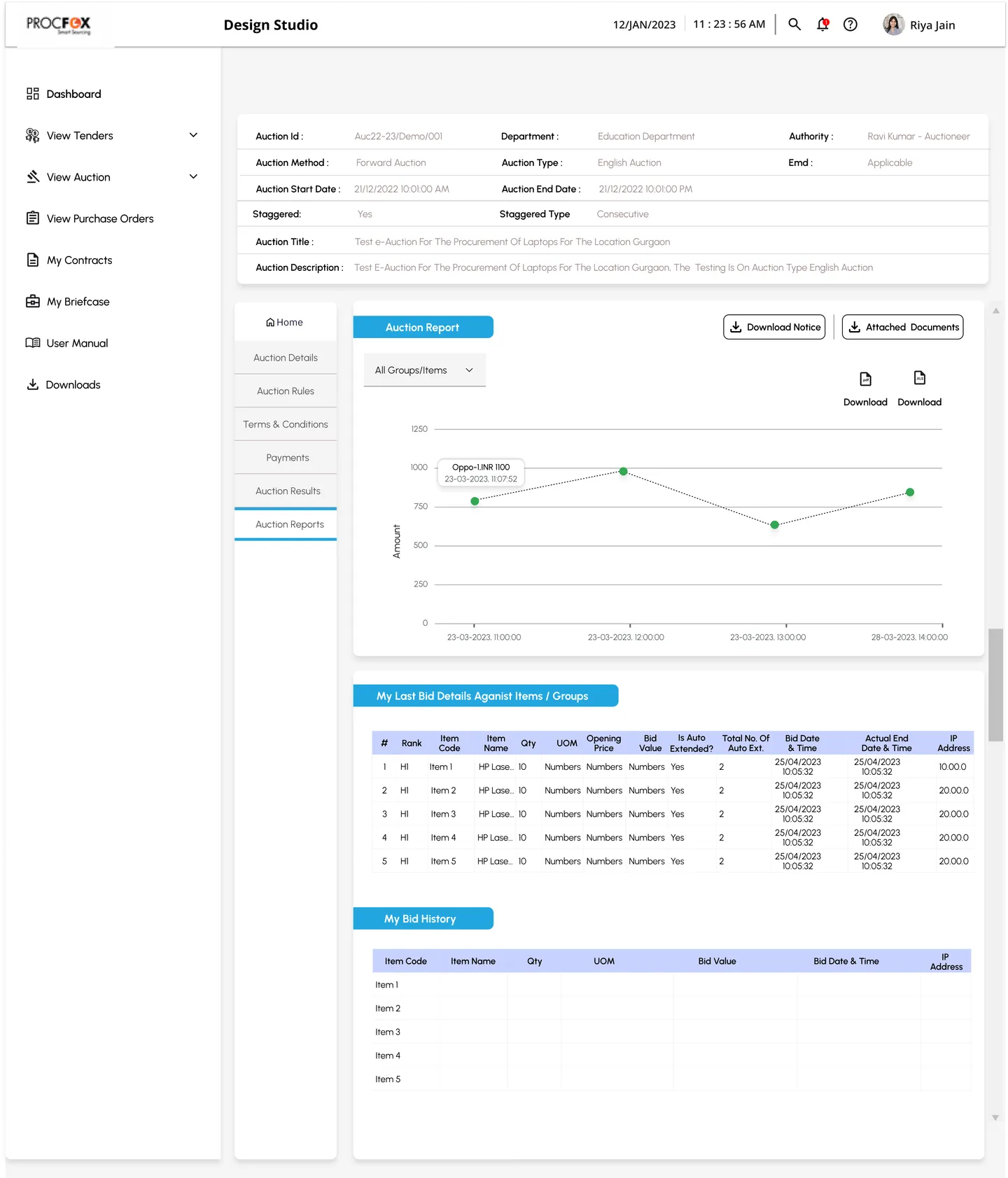
Auction reports for Procfox, designed for two roles. The auctioneer sees every supplier and every bid; the supplier sees only their own, in the same layout.
- 1
The auction's facts, pinned
ID, method, type, dates and title stay at the top, so you always know which auction you are looking at.
- 2
One skeleton for every auction
The same section navigation, from Auction Details to Auction Reports, on every auction.
- 3
Filter the chart by item
The bid chart shows all items or one, and each point shows the bid and its time.
- 4
Labelled sections
Blue ribbons name each table, so a long report is easy to scan.
- 5
Download next to each table
Every table can be exported on its own, as PDF or spreadsheet.
Tap or hover the numbered pins to see the design decisions.
Context
When an auction ends, two people want very different answers. The auctioneer asks “who took part, and who won each item?”. The supplier asks “how did my bids do?”. Both reports had to be complete without becoming overwhelming.
Two roles, one layout
The supplier’s report reuses the auctioneer’s layout, but shows only their own last bids and bid history, with their rank for every item. Anyone who has seen one report can read the other.
What I did
- Defined what each role needs from a finished auction, with the project manager and the customer
- Designed one report layout that works for both roles
- Built the tables, ribbons and download actions from the Procfox design system
Result
Reports that answer each role’s question in one screen, part of a redesign that improved workflow efficiency by 30%. The full story is in the Procfox case study.